
5 meals · 1 grocery trip · built around your budget
Meals are
handled.
Tell ChowWeek which days need a meal and what real life looks like. It builds a practical week for your household, one combined grocery list, and clear steps when it is time to cook.
Set up in about a minute. See every meal in your personalized week before you decide whether to subscribe.


Available now on iOS and Android
31 countries158 supermarkets
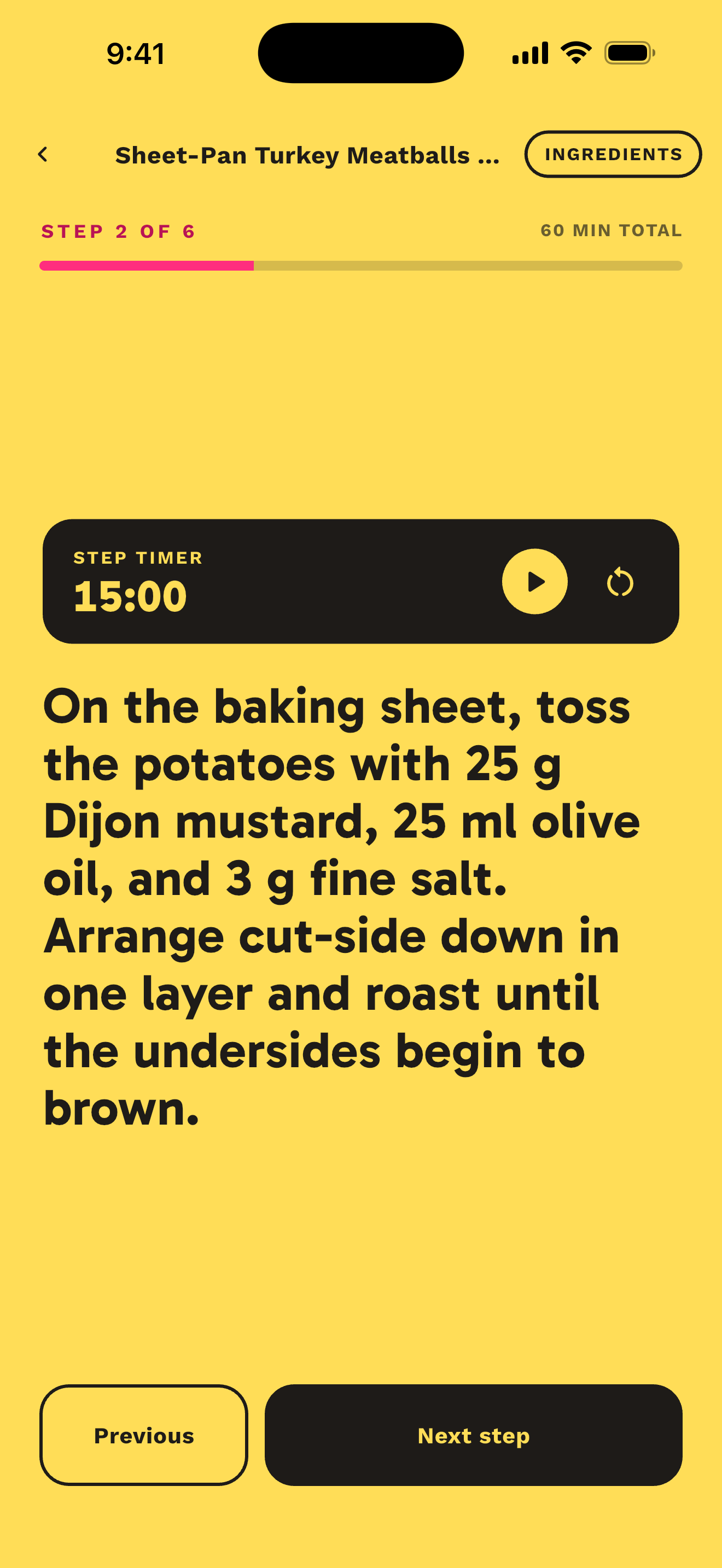
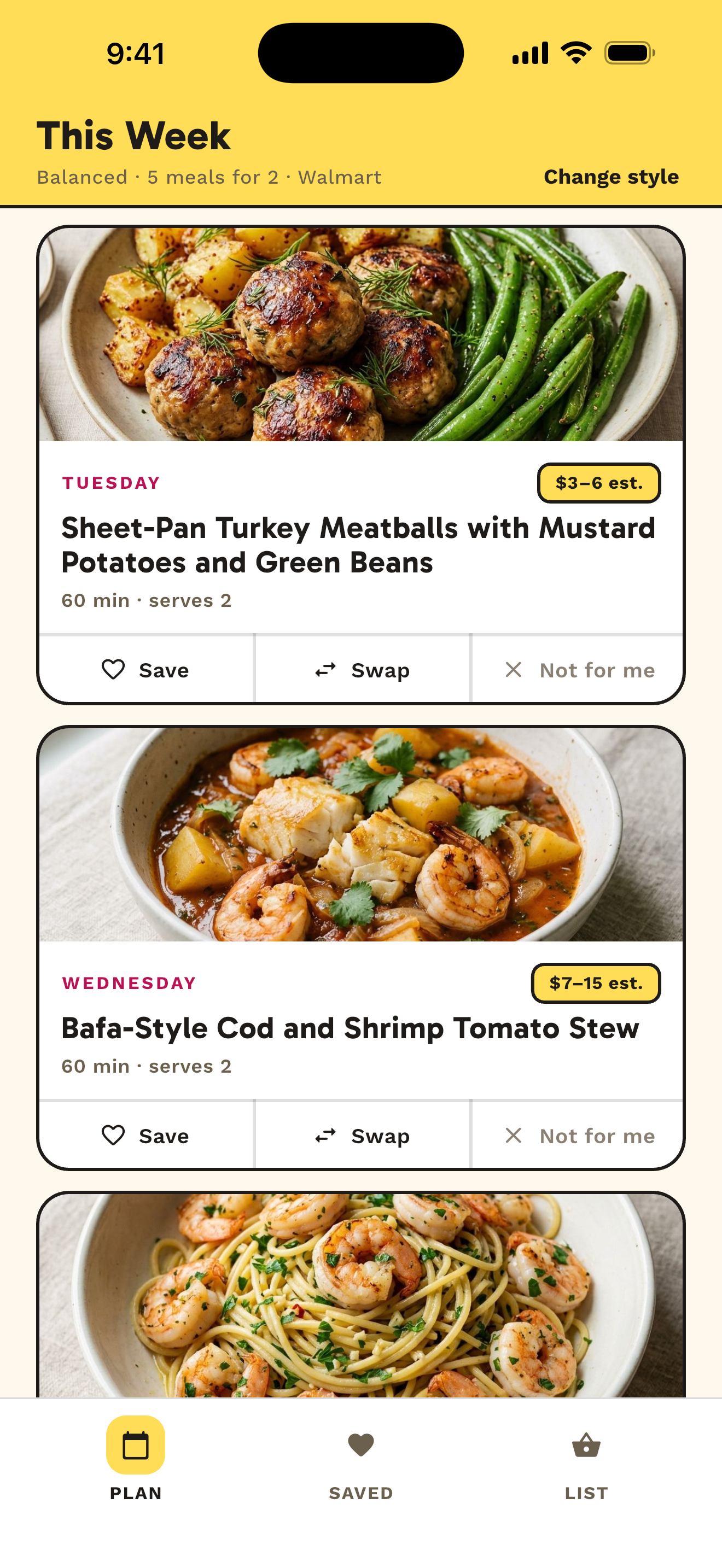
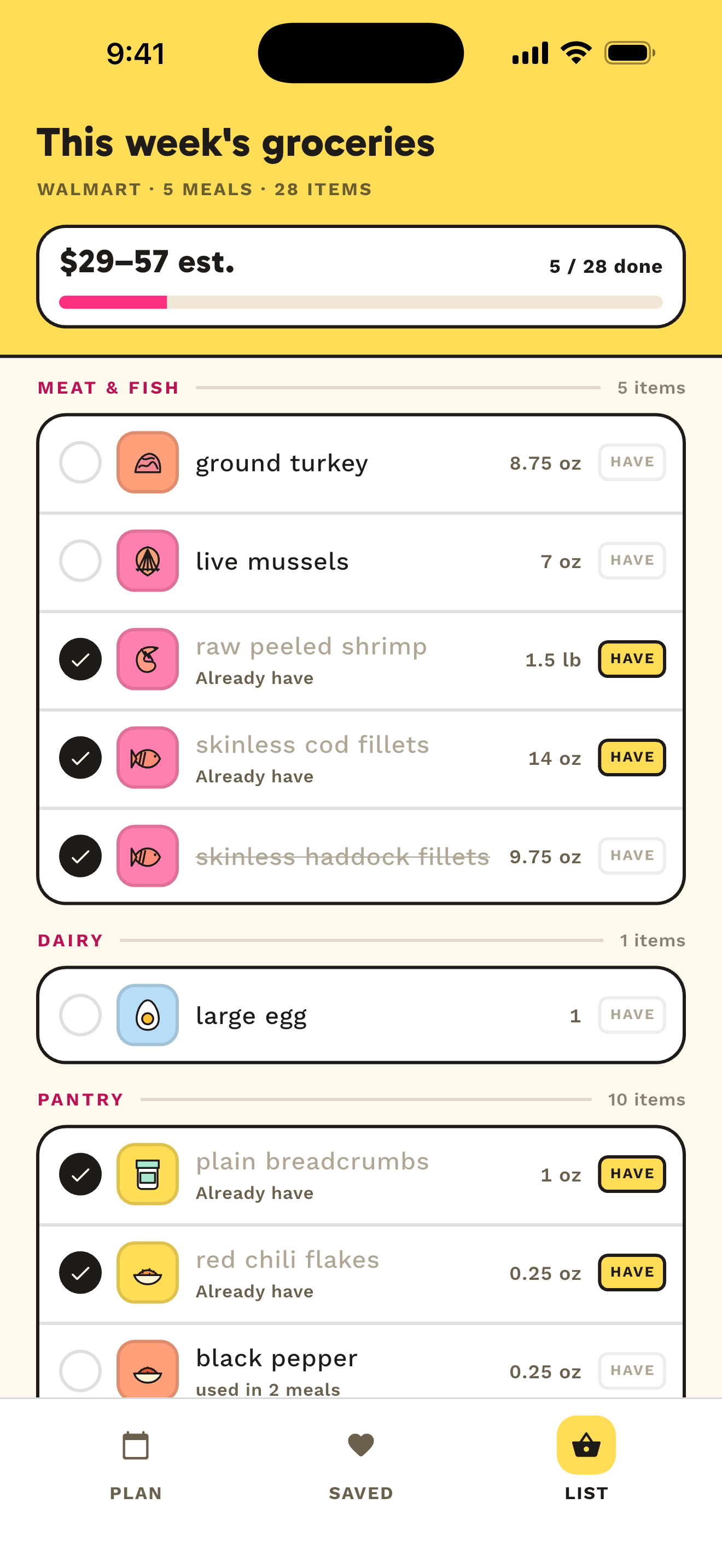
Captured from the current ChowWeek app
Built for where you shop
31 countries. 158 supermarkets.
ChowWeek starts with your country, then shows relevant local retailers, currency, measurements, and estimated planning ranges.


North America
United States · Canada
Europe
United Kingdom · Ireland · Germany · France · Spain · Italy · Netherlands · Belgium · Austria · Portugal · Switzerland · Denmark · Sweden · Norway · Finland · Poland
Asia-Pacific
Singapore · Australia · New Zealand · Japan · South Korea · Malaysia · Indonesia · Philippines · Thailand · India
Latin America
Mexico · Brazil
Africa
South Africa
Retailer support helps tailor store choices and estimated grocery planning. It does not mean live inventory, current shelf prices, checkout quotes, or guaranteed availability.
From “what are we eating?” to a week that works
Choose 1–7 meal days. Five is the default, but the plan fits the week you actually have.
Set up real life
Choose the days that need a meal, who you are feeding, your budget, food rules, cooking time, equipment, and preferred store.
See your week
ChowWeek builds one coherent meal for every selected day, with the time, servings, and clearly labelled estimated cost up front.
Shop, cook, repeat
Open the combined grocery list, check off what you need, and follow clear recipe steps when it is time to cook.
Plan for where you shop
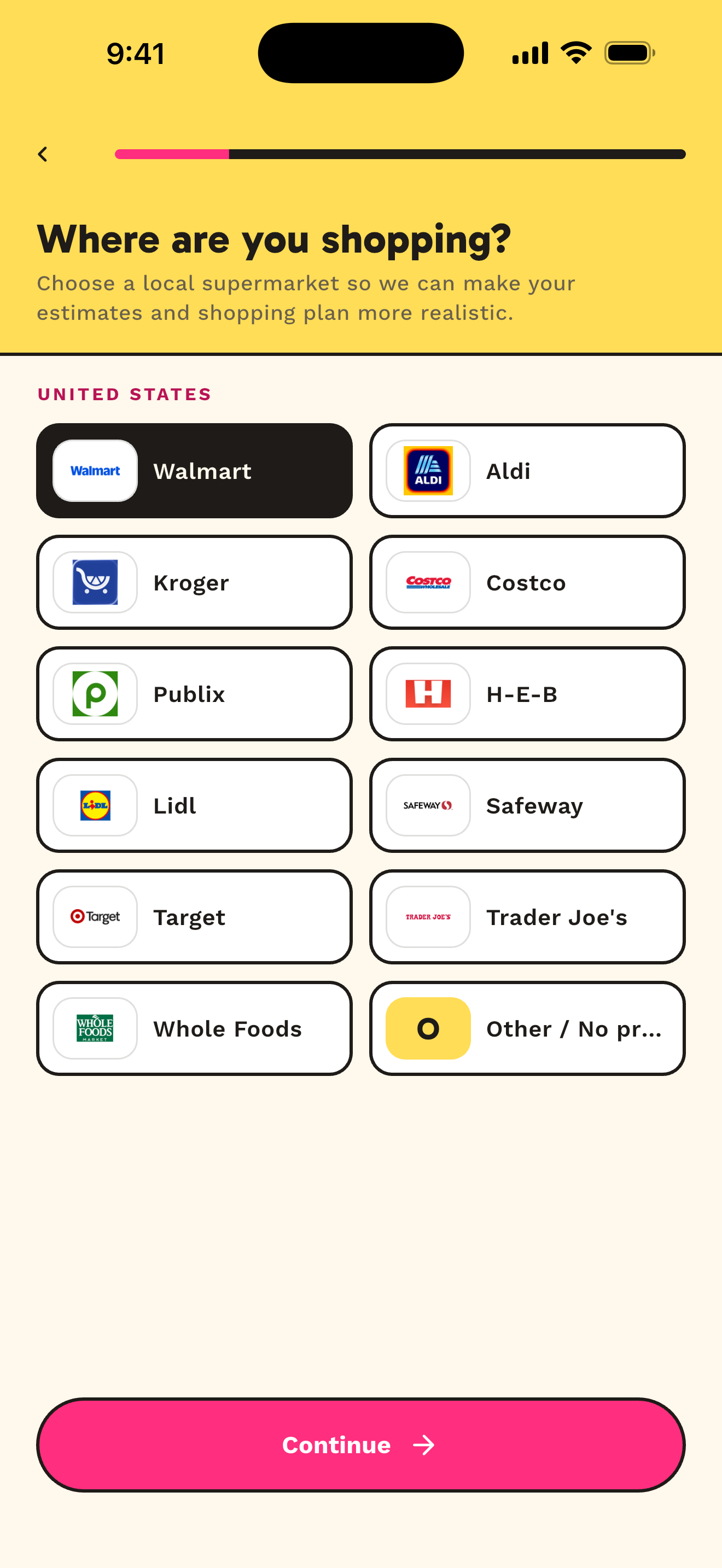
Choose the supermarket you actually use
Your store choices update with your country. Pick a supported retailer or keep things flexible with no store preference.
Store selection helps ChowWeek plan with retailer-specific ingredient estimates where coverage is available. Prices are still estimates—not live retailer prices or guarantees.
 Walmart✓
 Aldi
Aldi Kroger
 Costco
 Publix
 H-E-B
H-E-B Lidl
Lidl Safeway
 Target
 Trader Joe's
 Whole Foods
- Other / No preference
A quick setup, grounded in real life
The questions that make the plan useful
These are current ChowWeek onboarding screens—not marketing mockups. The app asks only for inputs that directly shape your meal week.
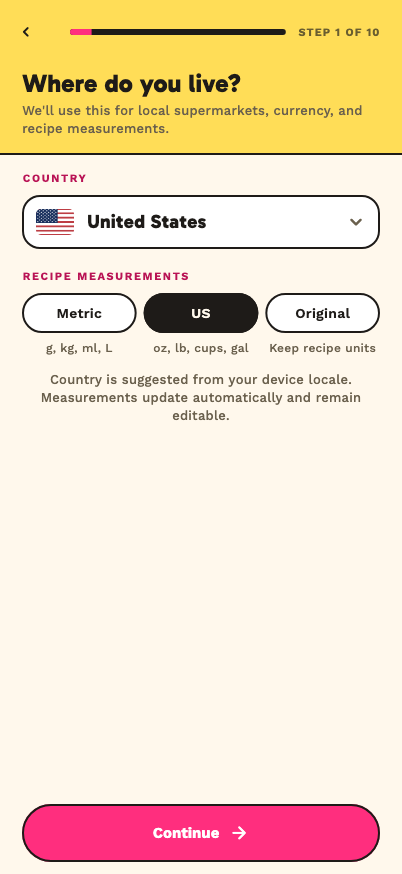
Your country and measurements
Local supermarkets, currency, and recipe measurements start in the right place.
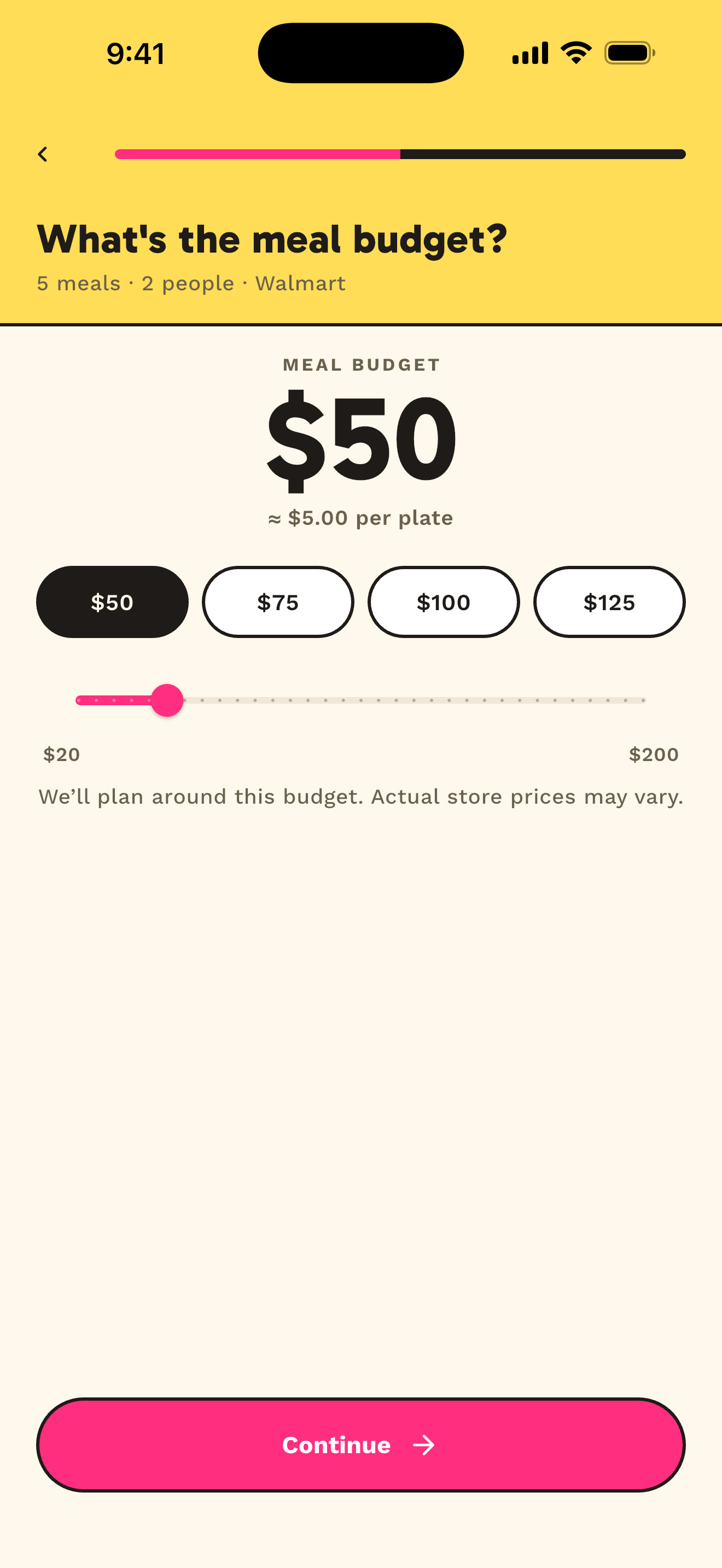
A budget to plan toward
Set an amount for the selected meals. Prices stay clearly labelled as estimates.
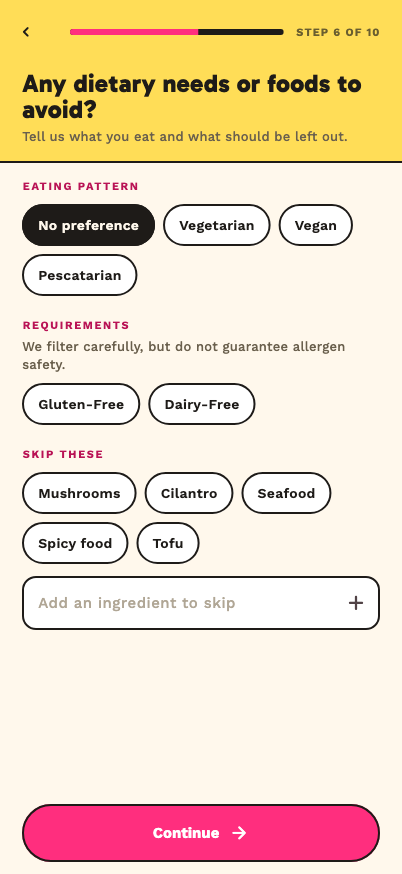
Food rules that matter
Choose an eating pattern, dietary requirements, and ingredients to avoid.
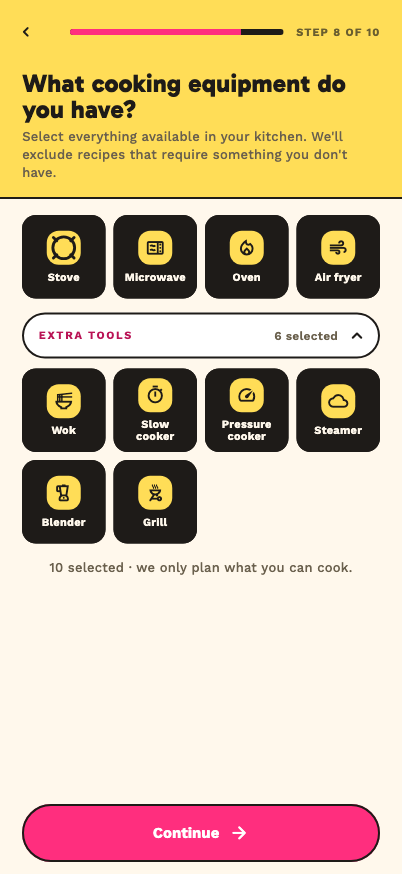
The kitchen you actually have
ChowWeek excludes recipes that require equipment you did not select.
Screens use owned, generated catalogue recipes and example household choices. Product details may evolve before launch.
A week, not a recipe feed
Meals are chosen together for variety, useful ingredient overlap, your practical constraints, and the kind of week you want.
One useful grocery list
Duplicate ingredients are combined into aisle-friendly sections. Mark items checked or already at home, even with poor connectivity.
Honest budget guidance
ChowWeek plans toward your budget using estimated cost ranges. They are planning aids—not live retailer prices, quotes, or guarantees.
Gets better as you use it
Saves, swaps, rejections, cooked meals, and Would Make Again feedback help later weeks move closer to what your household enjoys.
Plans that fit your kitchen
Choose the equipment you have and the time you can spend. ChowWeek filters out recipes that do not fit those practical limits.
No sign-up wall
Start with a private pseudonymous profile. Account protection is optional, reminders stay on your device, and ChowWeek does not need contacts or precise location.
See your week before subscribing
Unlock the plan you already want
Preview every selected day with its actual meal, image, time, and servings. Premium opens the recipes, grocery details, cooking steps, swaps, and future weeks.
Choose Annual or Monthly. Eligible new Annual subscribers can start with 7 days free; Monthly has no trial. Your local price and billing period are shown by the App Store or Google Play before purchase.
- Every recipe and step-by-step cook mode
- Your complete organized grocery list
- Unlimited swaps and ongoing weekly planning
- Taste memory, saved meals, and week history
- Cooking feedback that shapes later weeks